Ship with any courier
from Shopify
WS24 API Ship is a Shopify app for shipping labels, live rates at checkout and tracking, with ready templates for global and local couriers. For any other carrier, paste a link to its API docs and our AI builds the connector in minutes. No developers needed.
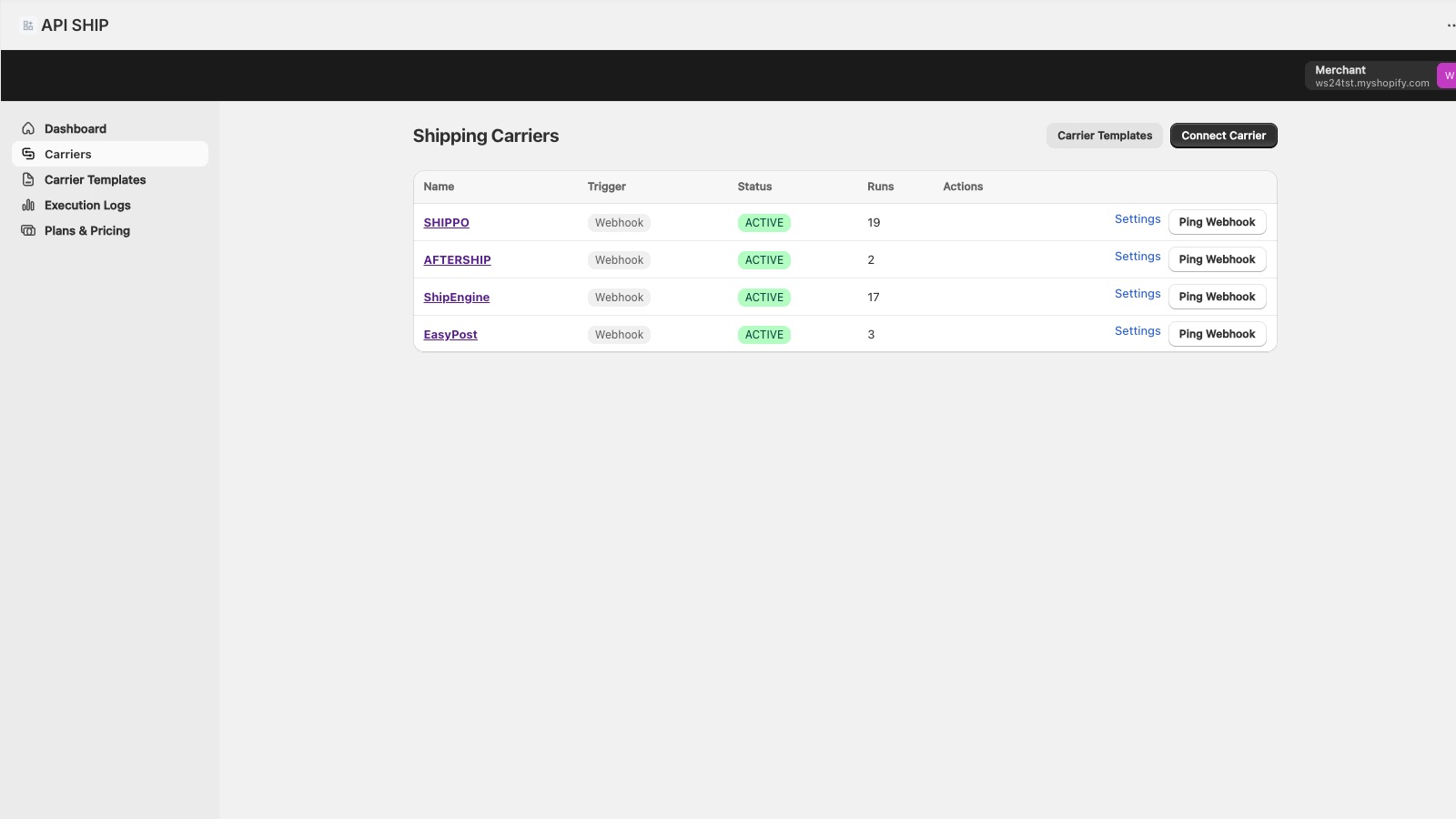
You don't need to know what REST is
Just paste a link to your courier's documentation or API page and AI parses it, generates the request chain, and builds a visual editor for field mapping.
From API docs to first shipment in minutes
Paste API docs
Paste a link to your carrier's API docs, an OpenAPI / Swagger / Postman file, a curl example, or the docs text itself (docs only as PDF? copy and paste the text).
AI builds the connector
The AI generates a complete request chain with field mapping, authentication, and error handling — ready to review in a visual editor.
Add rules (optional)
Add IF/THEN rules in the advanced editor — for example skip a step or stop a run when the order weight is over a limit — and map order statuses. No code needed.
Ship orders
Create labels from the order page, in bulk from the Orders list, or automatically when an order is paid (auto-ship rules). Tracking numbers, labels and status updates go back to the order.
Labels, tracking and customs — inside Shopify
Labels on the order page
Create, download (PDF, e.g. A6) and void labels in the Shipping labels block on the order page.
Bulk labels
Select orders in the Orders list and choose “Create labels (WS24 API Ship)”.
Auto-ship rules
When an order is paid, the first matching rule in Shipping settings picks the carrier and service and buys the label. “Recent decisions” shows the outcome for each paid order, with the reason when one was skipped.
Test mode per carrier
Switch a carrier to its sandbox: test labels and rate quotes are free.
Void labels
Void from the Shipping labels block, including carriers that cancel later: the label shows “void pending” until the carrier confirms.
Customs declarations
HS codes and country of origin come from each product's Shopify customs information; set defaults (Incoterm, contents) in Shipping settings. Easyship carriers show “Est. duties & taxes for the buyer”.
Carriers without a rate API
E.g. Xpress Logistics: create labels directly, no quotes needed.
Tracking synced to Shopify
Tracking updates reach the Shopify order through carrier webhooks or automatic status polling.
Request a carrier
We build it free — send the request from the form inside the app.
Split orders, pickup and checkout rates — handled
Multi-location and split orders
One label per fulfillment location: shipped from that location's address, weighed by that location's items, fulfilling only that location's items.
Ship and pickup in one order
Pickup and local-delivery items never get a label; only the shipped items are quoted and labelled.
Live rates per shipment
At checkout, a split cart gets its own rate for each shipment, from its own location. Works with Shopify Markets: with your permission, the app adds its rates to your markets.
Hide or rename delivery options
Delivery Customization hides checkout delivery options above a price or by handle, and renames an option whose title contains the text you set.
Watch the App build the connector for you
A 3-step setup: Connect (credentials), Test, Go live. An advanced editor gives full control over every request, field and rule.
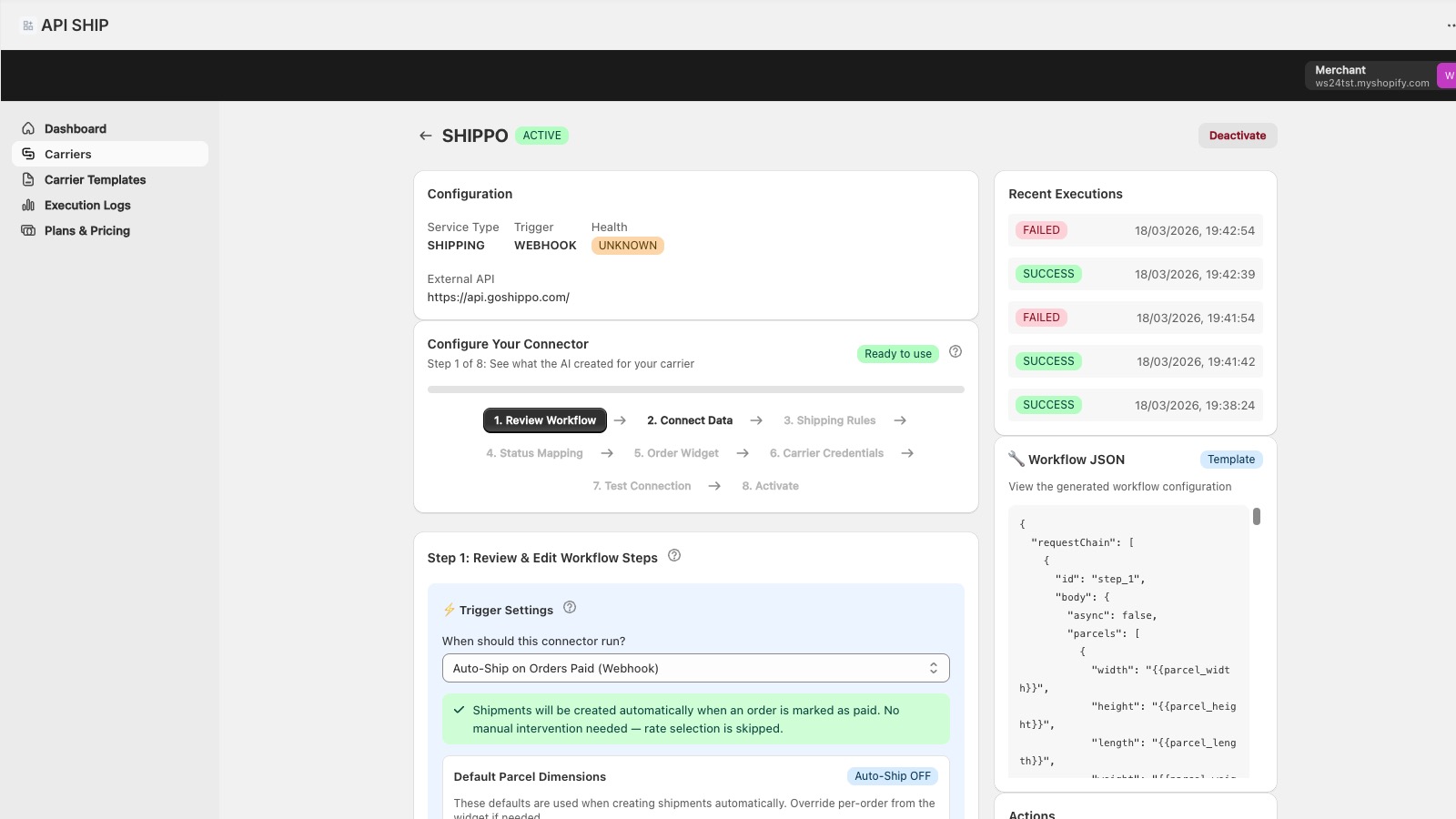
Pre-built carrier templates.
Global carriers (DHL Express, UPS, ShipEngine, Shippo, EasyPost, AfterShip for tracking) and regional carriers in Luxembourg, the Netherlands and Belgium, Europe (DPD), the UK, Canada and Australia — start from a ready connector and add your API credentials. Carriers marked “via Sendcloud” or “via Easyship” need your own Sendcloud or Easyship account.
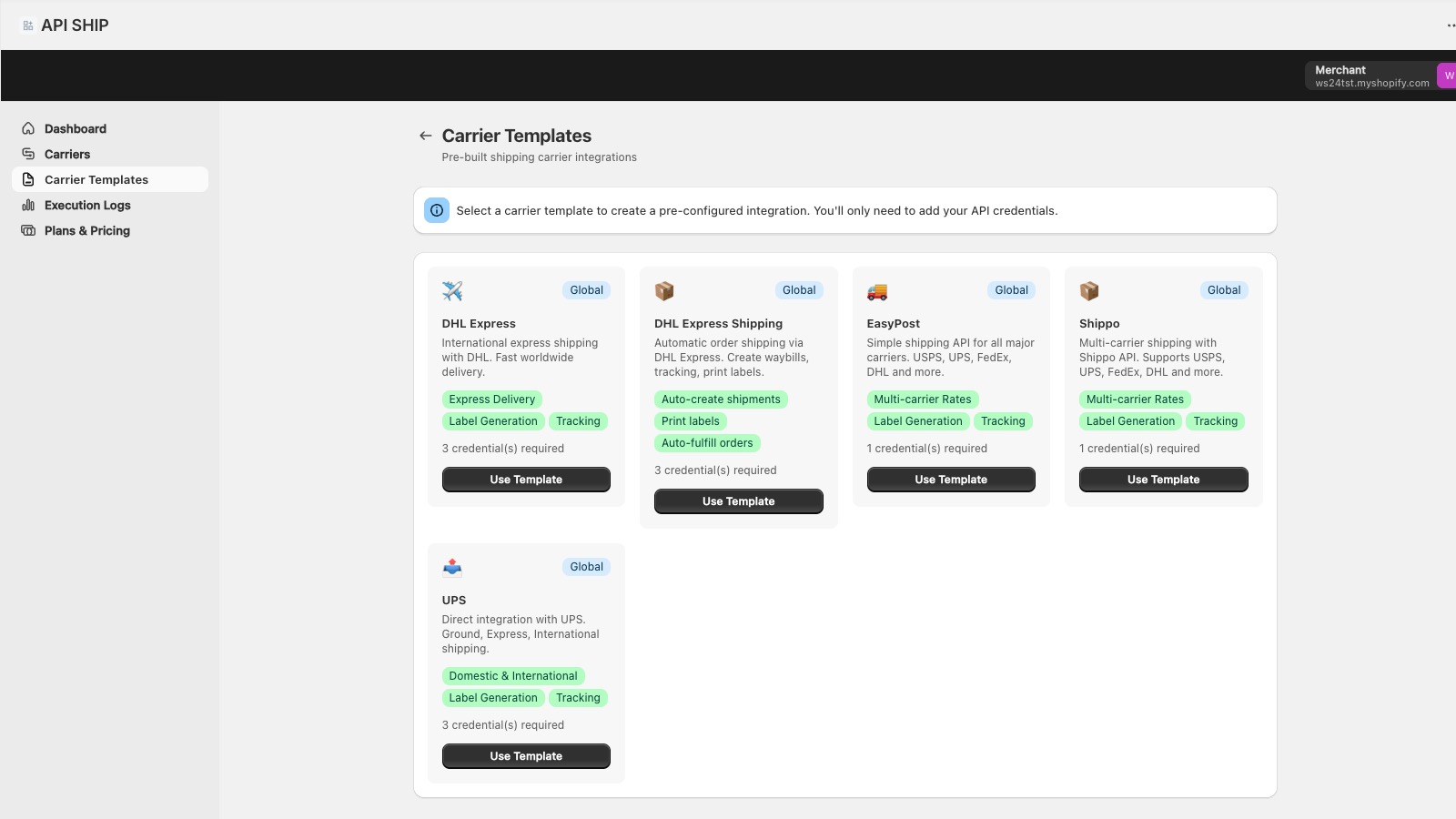
Every shipment, traced.
The Shipments page lists every label; the Activity log keeps step-by-step traces, with the raw request and response and personal data masked, for 90 days.
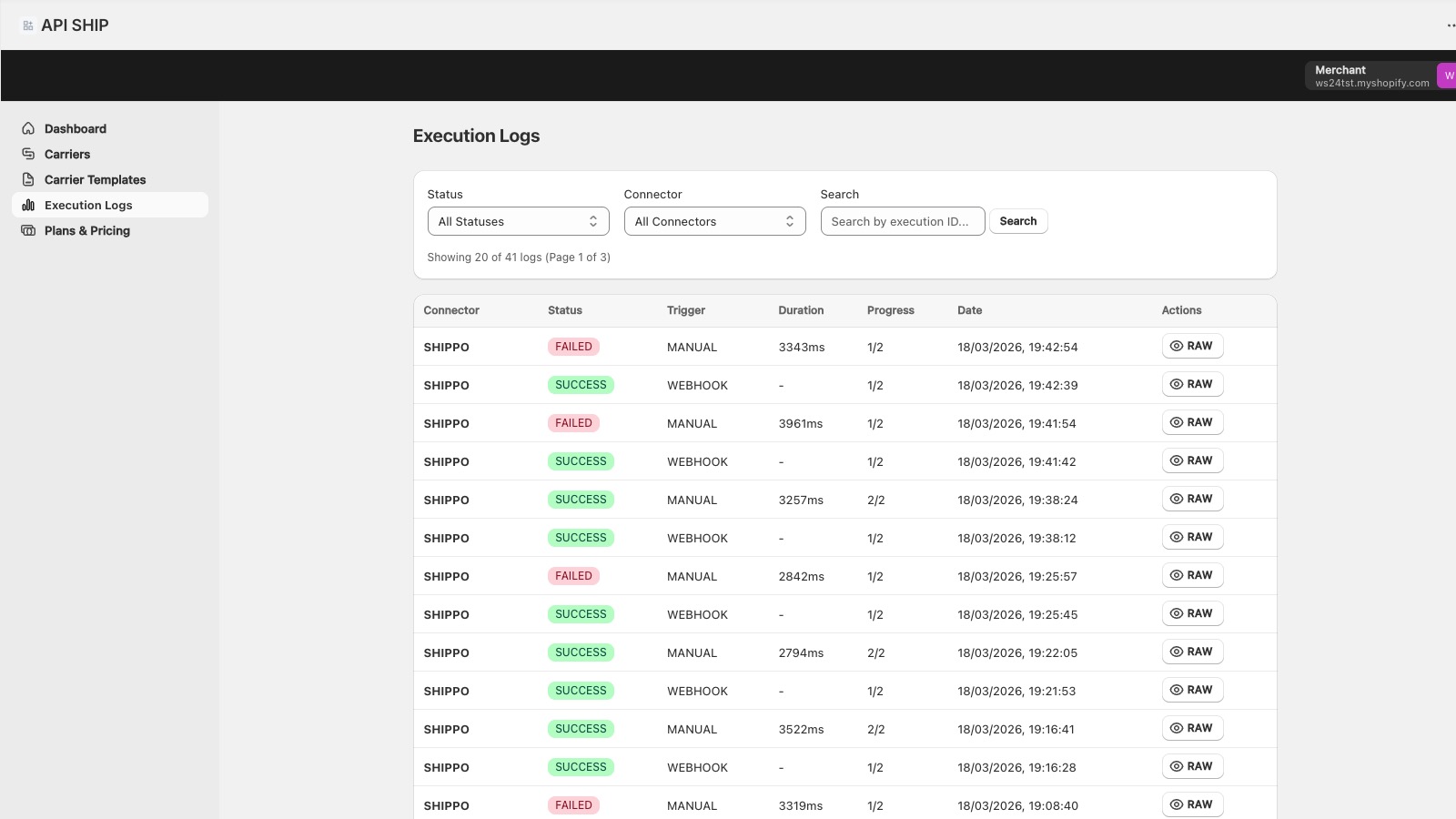
APIs change. The fix is one click
When a carrier API changes and a run fails, WS24 API Ship shows the exact error and the AI suggests a fix you can review and apply in one click.
zip_code not found in response19:42:54zip_code → postal_code · suggested fix readyApply fix

Built for shipping — and beyond
Shipping & Fulfillment
Connect any courier — local or global. Get rates, create shipments, print labels, and push tracking numbers back to Shopify orders automatically.
Beyond shipping
Custom REST APIs (ERP, inventory, CRM) on request; these connectors can run on Shopify webhooks or on a schedule.
Both plans include a 7-day free trial
Growth
For growing stores with a few carriers
- 7-day free trial
- 500 labels / month
- Up to 5 carriers
- Live shipping rates at checkout
- Tracking updates synced to Shopify orders
- Void labels from the order page
- Email support
Pro
For high-volume stores
- 7-day free trial
- 2,000 labels / month
- Unlimited carriers
- Everything in Growth
- Priority support
1 purchased label = 1 credit. Rate quotes, test labels and checkout rates are free. Billed monthly through your Shopify account; change or cancel anytime.
Frequently asked questions
Need help with WS24 API Ship?
Setup, carriers, labels or billing — send us a message and we usually reply within one business day.
Connect your carrier to Shopify
Whether it's a local courier or a global carrier — start from a template or paste its API docs, and API Ship builds the connector between Shopify and the carrier, tested on your sandbox key, with AI-suggested fixes when a test fails. At checkout, hide or rename delivery options. Other REST APIs (ERP, inventory, CRM) on request.